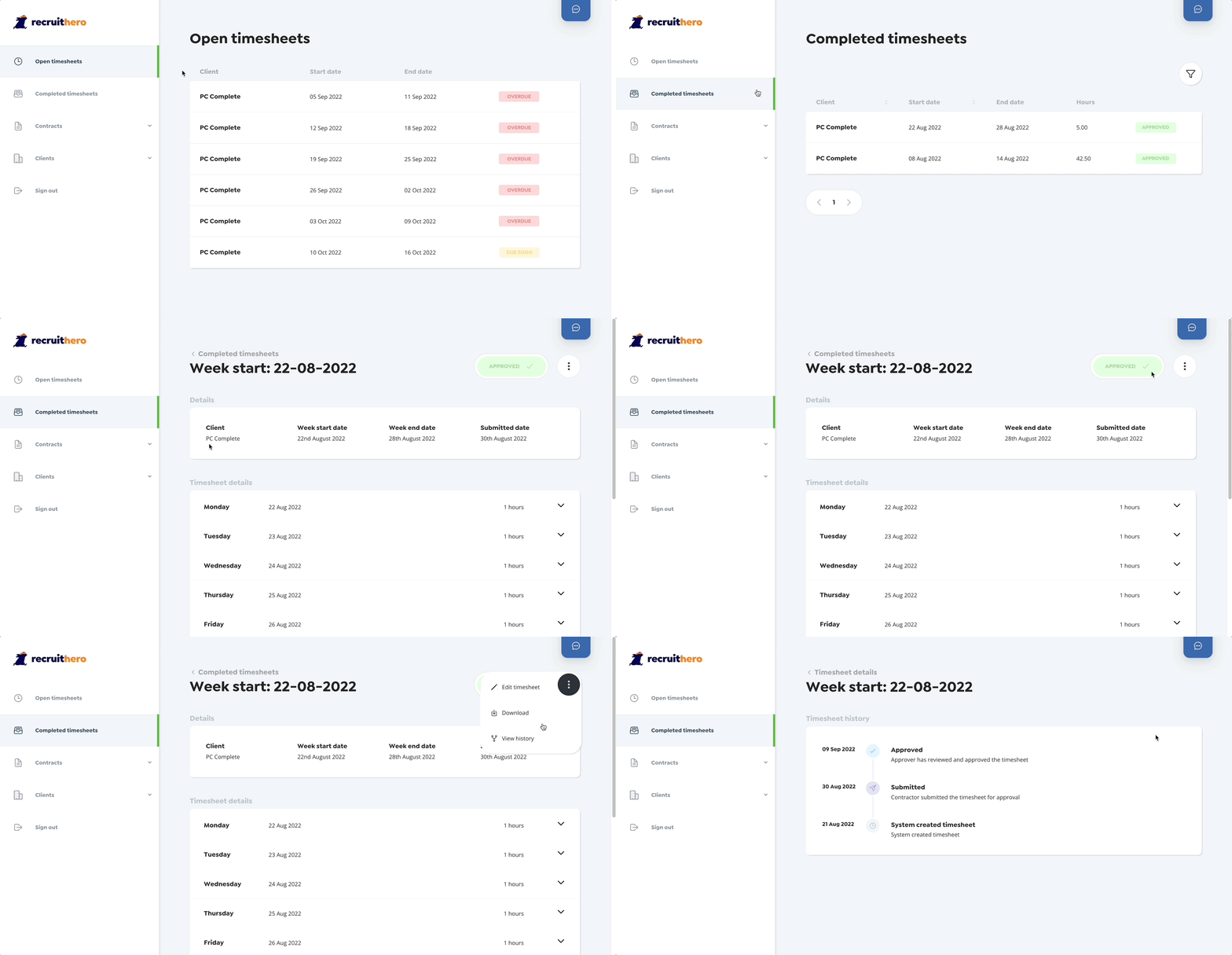
Whether you are looking to double check a timesheet or just forgot who approved it check out the timesheet history.
Sometimes you cannot remember what happened to a timesheet and need a way to double-check. That's why we store the full history of a timesheet, giving you complete transparency on what happened.
Simply open the completed timesheets view by selecting "Completed timesheets" from the menu. Now just find the timesheet you would like to edit and open it.
We have a range of filters and sorting options to help narrow your search, check out our guide on filtering timesheets.
Now that you are on the timesheet details view, open the action menu and select "View history".