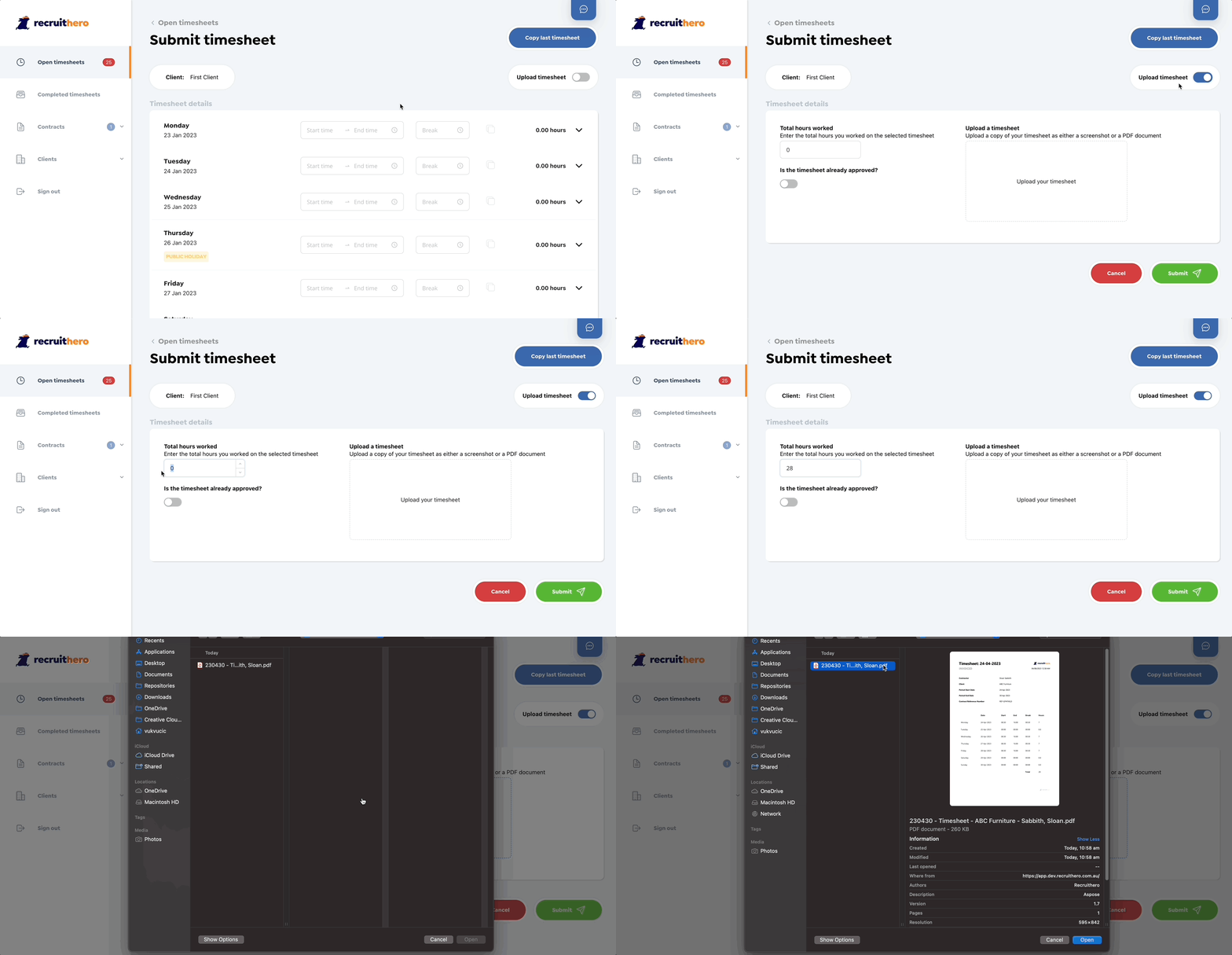
Doing two timesheets can be a nightmare which is why we allow you to upload a screeshot of your existing timesheet hopefully saving you time.
We understand some employers make you do an internal timesheet which makes doing a second one both tedious and no longer necessary. We hate seeing contractors doing double timesheets let alone triple so we now let you upload your internal timesheet directly into Recruithero and save you having to re-enter it.
Start by opening the submit timesheet form like you would normally, then hit the "Upload Timesheet" switch. Now simply add the total hours you worked and select whether your timesheet is already approved.
After that, you can upload the file as either an image or a PDF and finally hit "Submit".
Remember someone will potentially need to review your timesheet so please ensure the file you upload clearly shows the hours your worked.