You can now easily sign your contract directly in Recruithero as part of your onbaording process. Simply add any required information and add your signature.
If your agency has requested you sign your employment contract directly in Recruithero you will find it at the end of the onboarding process.
Recruithero lets you add text and signatures to any document where it is required.
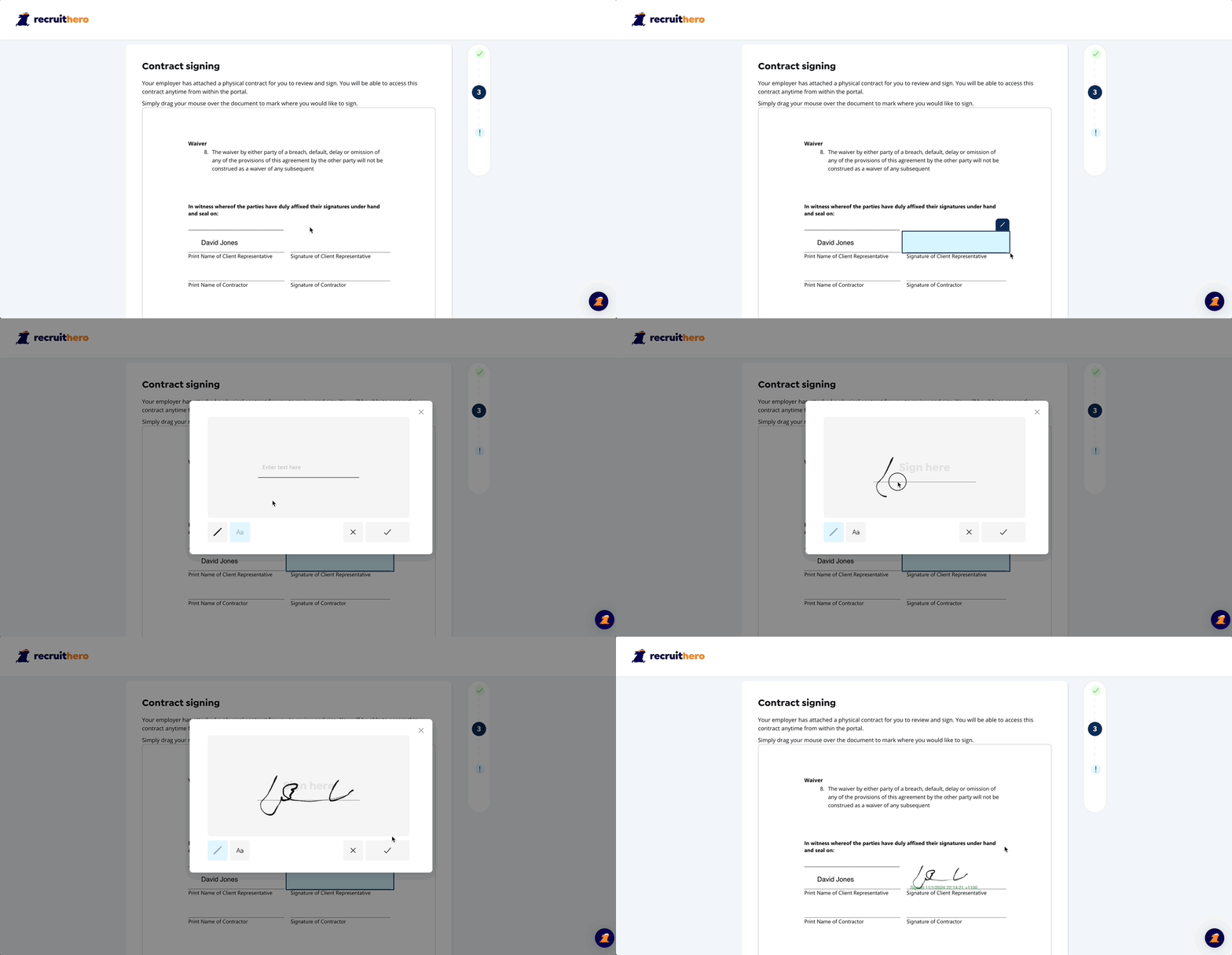
To sign your contract simply draw a box around the spot you need to add information or a signature, Select a starting point with your mouse and drag to cover the desired area.
Now you can hit the "Pencil" icon to easily add either text or a signature.
Once you are happy with the signature simply hit the confirmation tick and your signature will appear in the document.